Subscribe to our Newsletter


WeShip United States





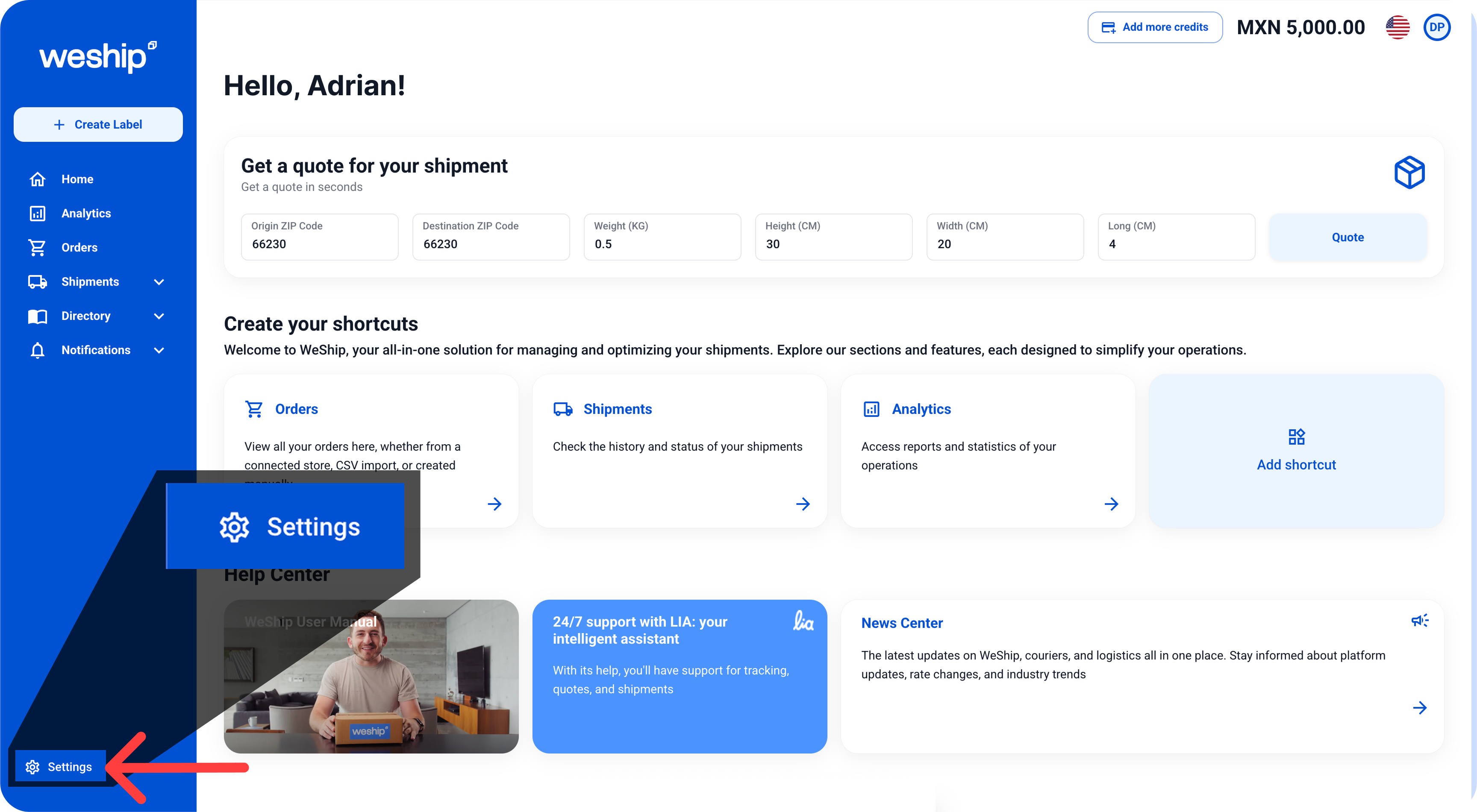
1. Click on the "Settings" menu.
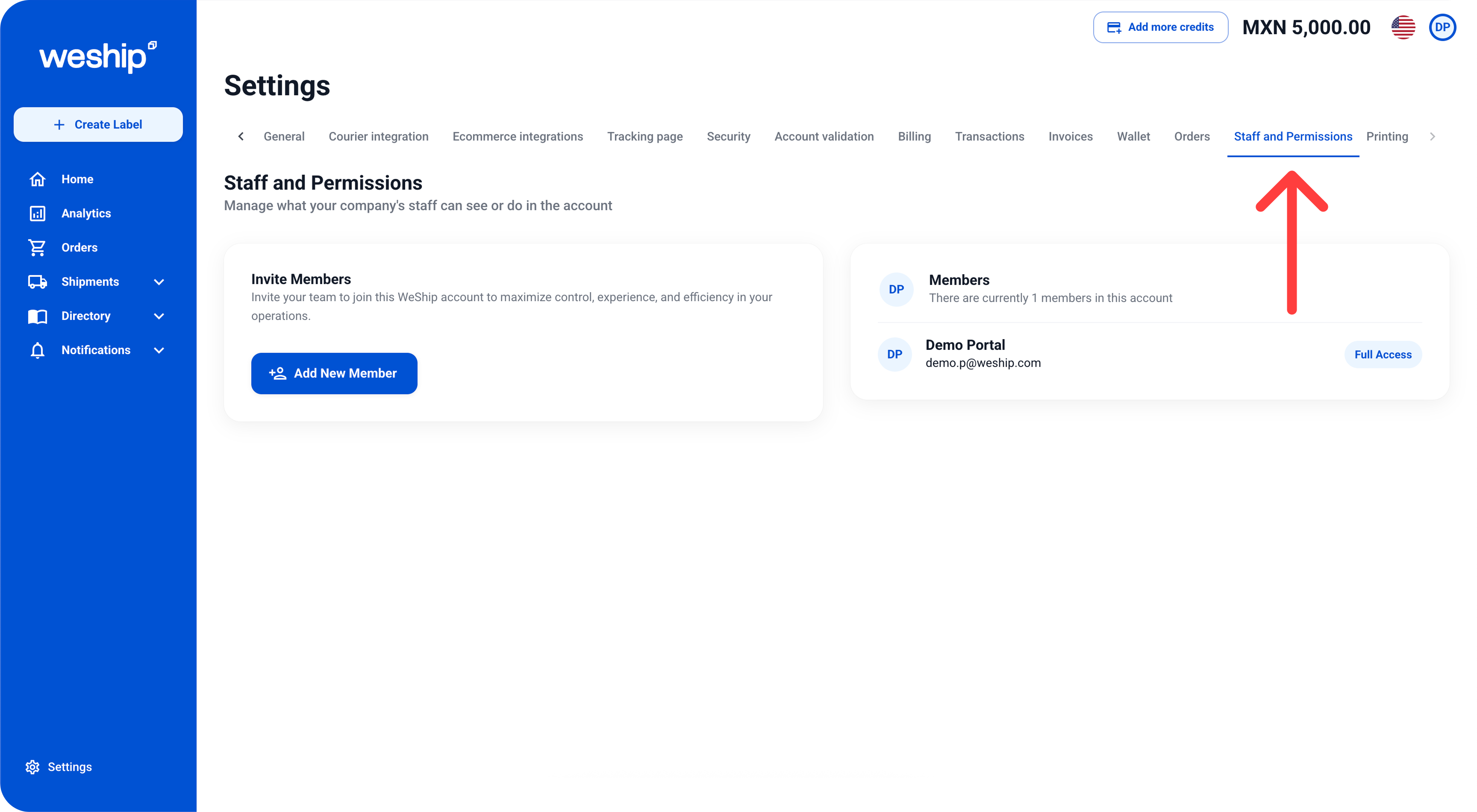
2. Locate the "Staff & Permissions" tab and click on it.
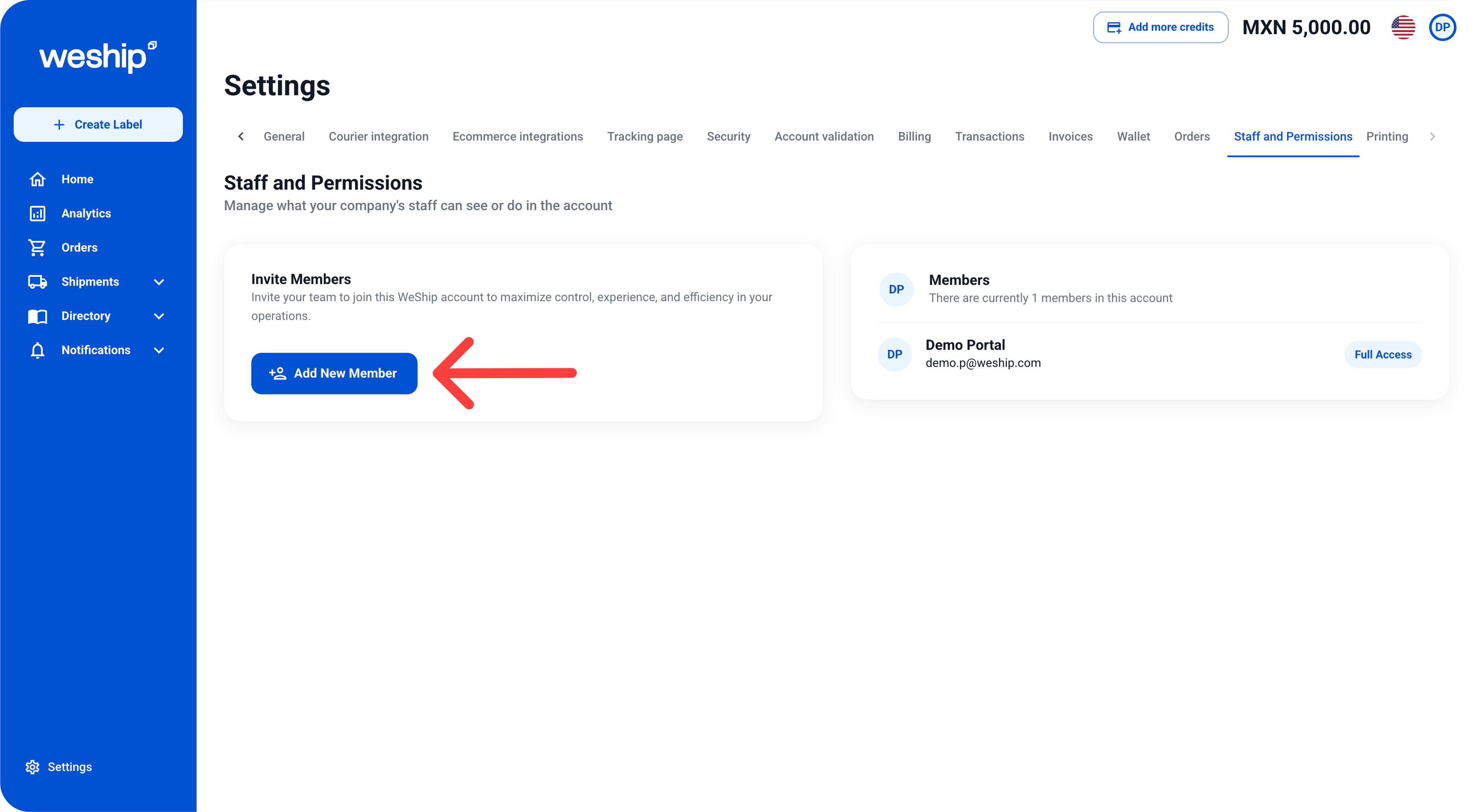
3. On the left side, inside the block of “Invite members” Click on the button “Add New Member”
4. A form will appear requesting some information about the new member, such as email address, first name, and last name.

5. After entering the member’s information, click on the "Role" dropdown and select the role the member will have on the platform.
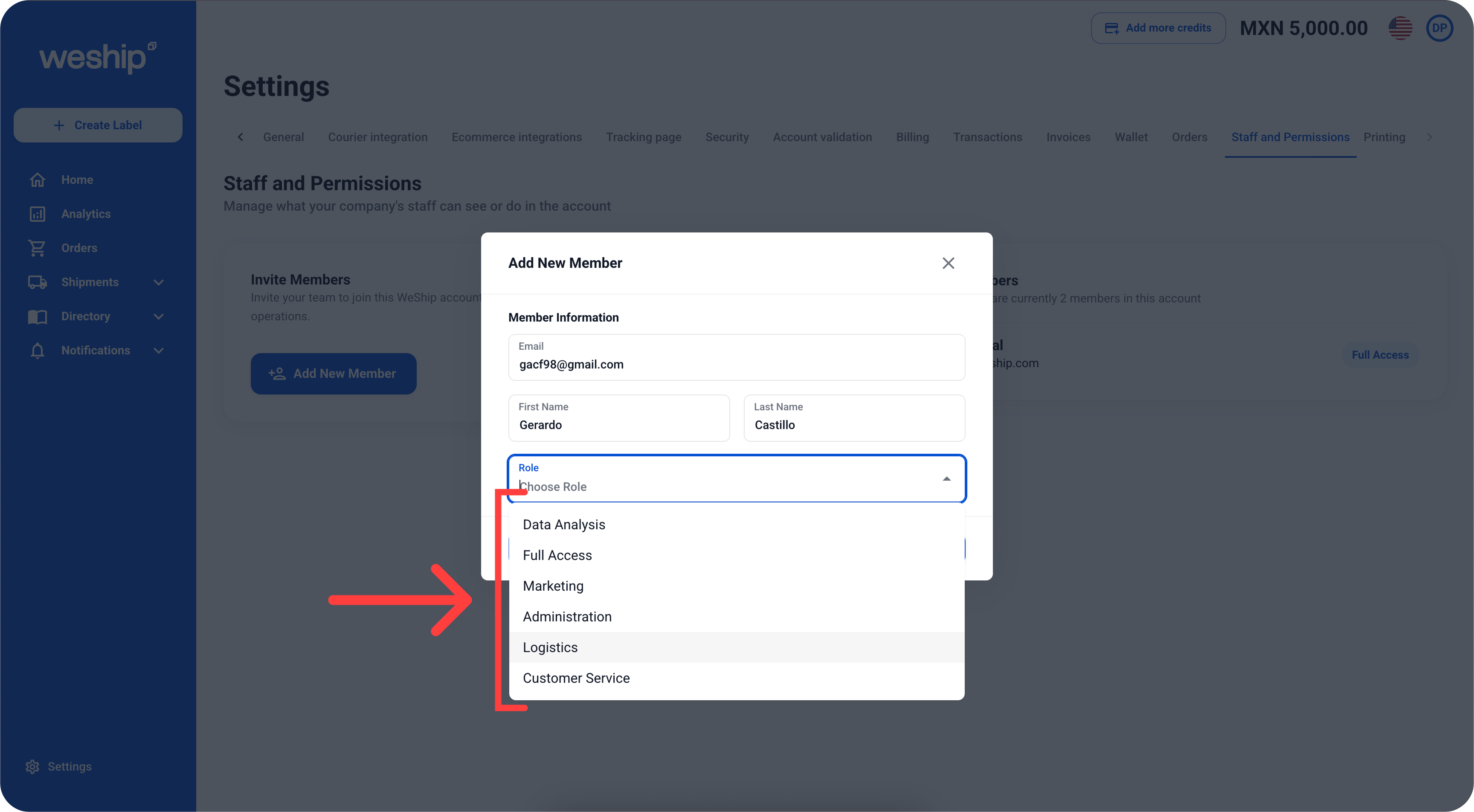
6. When a role is selected, the permissions that the member will have on the platform will appear at the bottom. These permissions may vary depending on the chosen role. Once the form is completed, click the "Send Invitation" button.

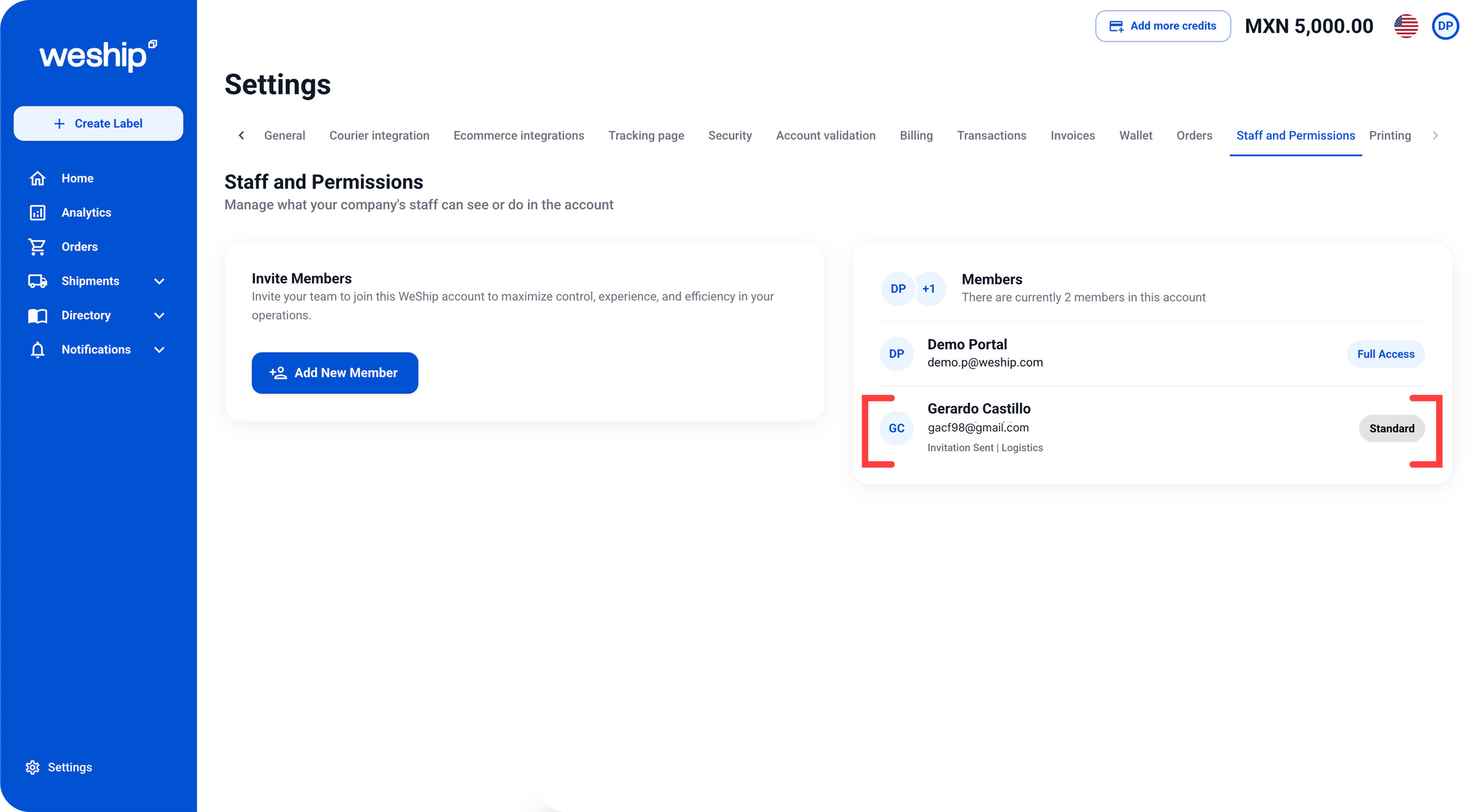
The added member will appear in the block on the right side, but they will only be able to access WeShip once they create an account. An invitation to access WeShip will be sent to their email.