Subscribe to our Newsletter


WeShip United States




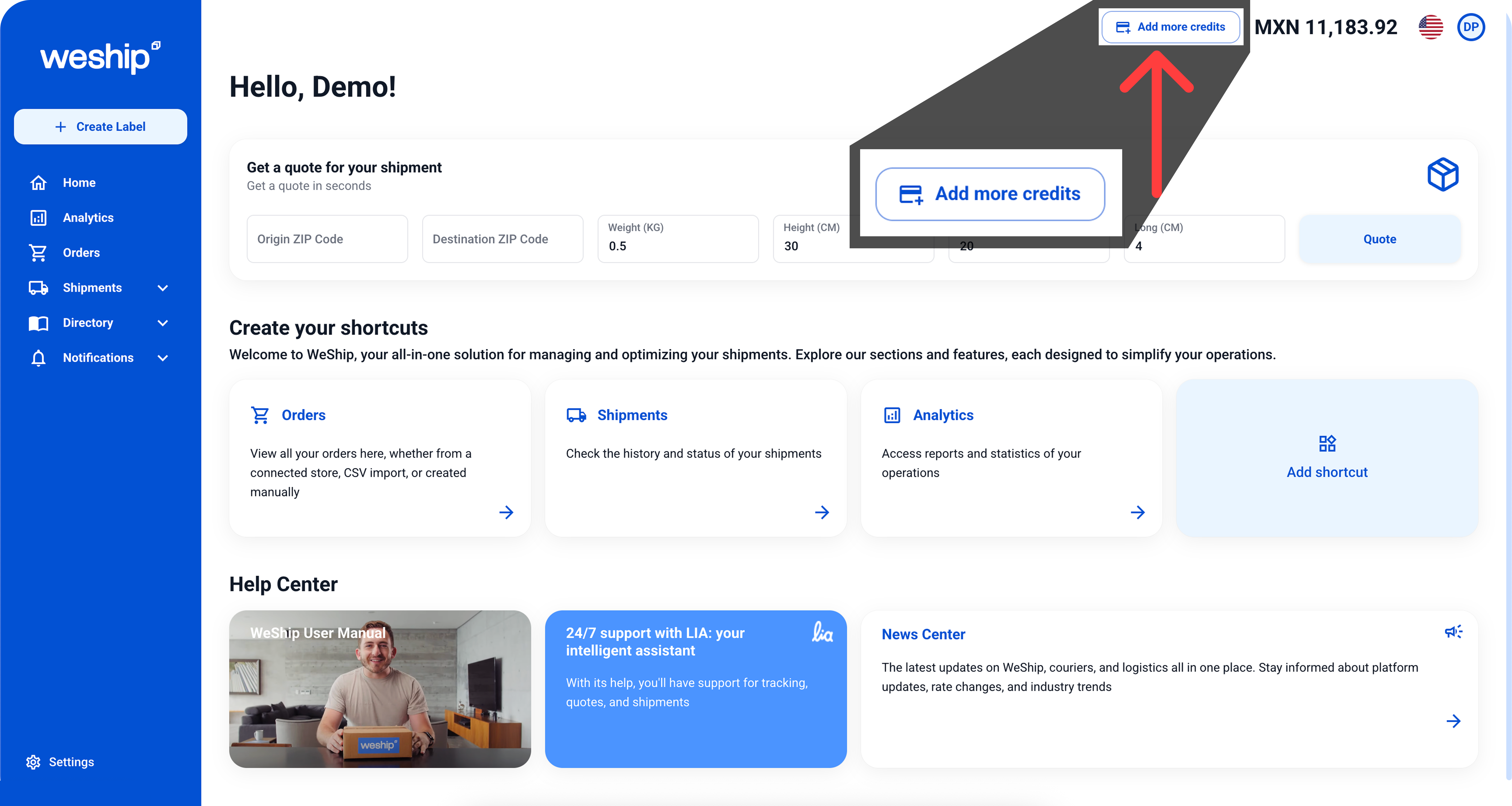
From any screen on the platform, select the Add more credits button.
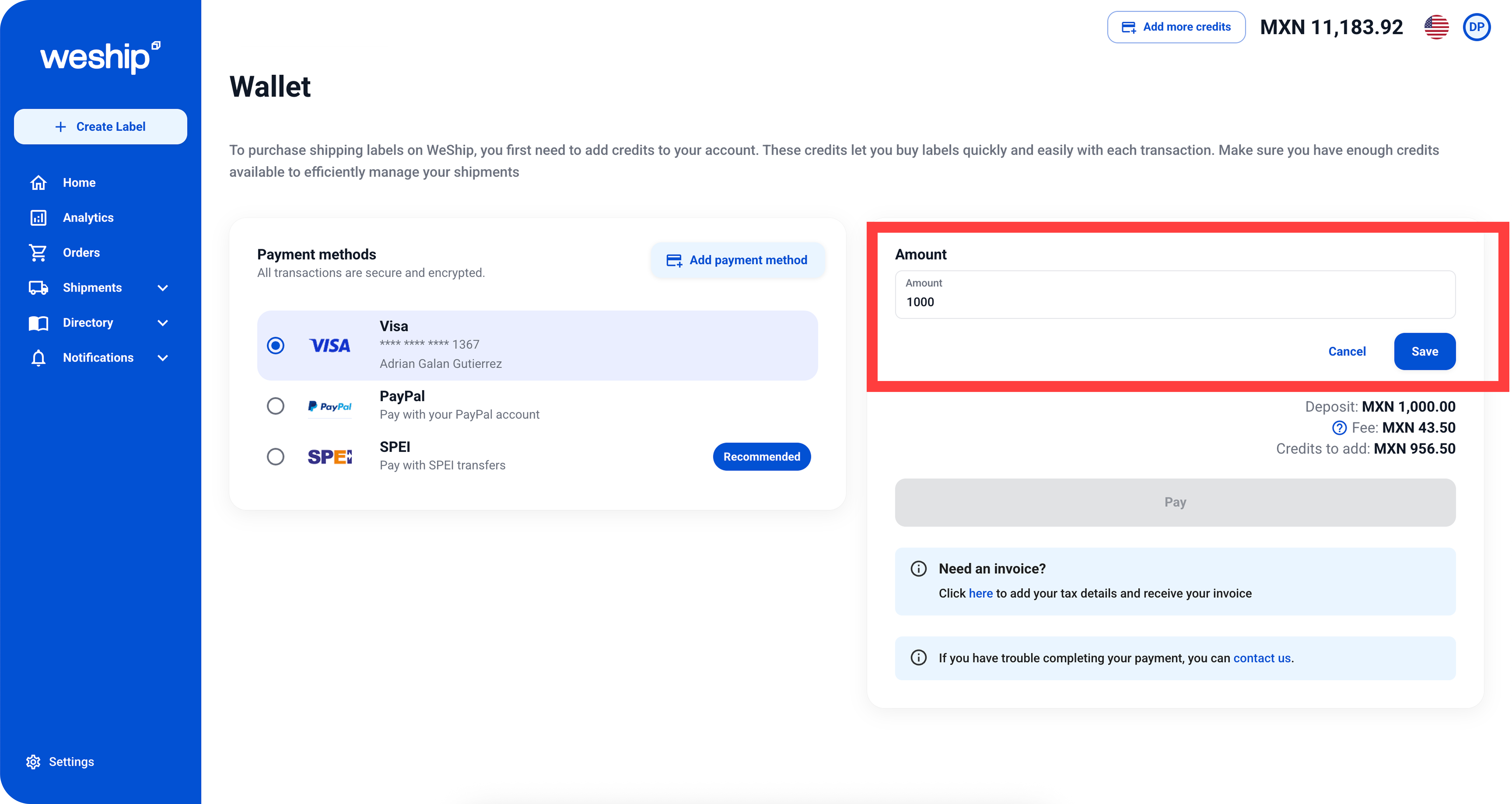
Select your payment option: credit/debit card, bank transfer, or any method available in your account.
A field will appear where you can enter the amount you want to add to your account balance, then click the “Save” button.
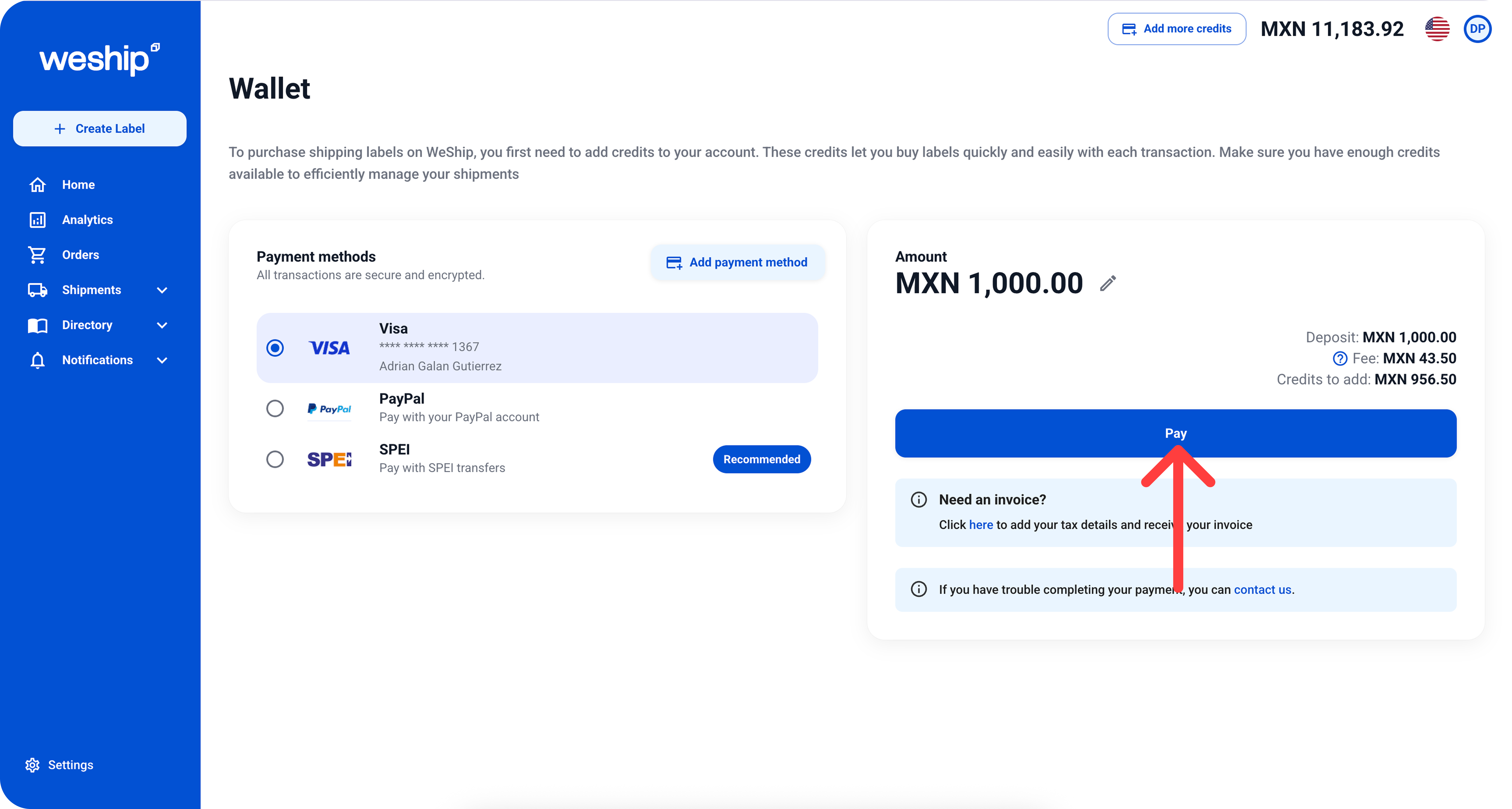
Once the amount you selected to top up appears, click the “Pay” button. After the transaction is completed, your wallet will show the new available balance to use for shipments.