Subscribe to our Newsletter


WeShip United States




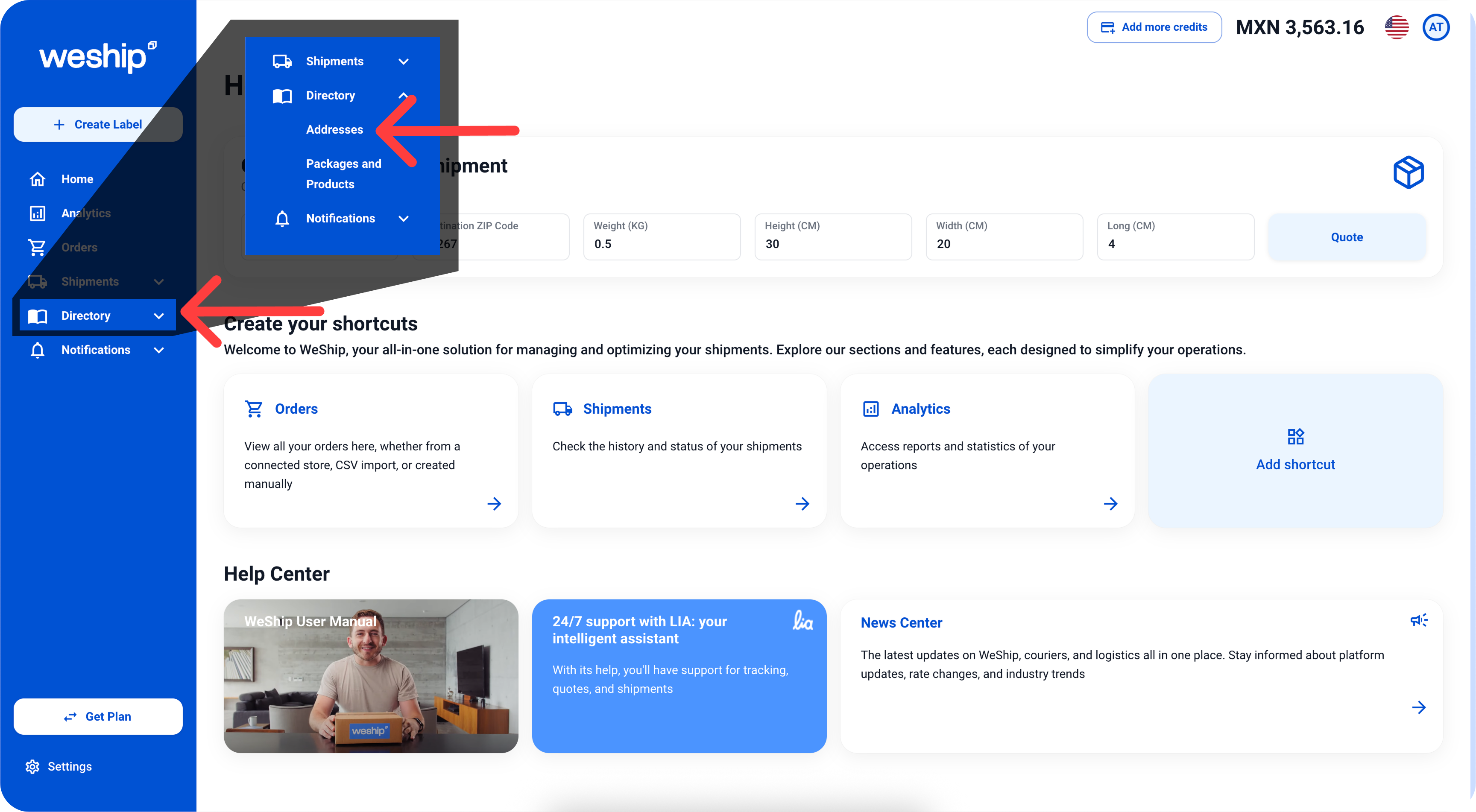
1. Click on the "Directory" menu, which will display a submenu. Then, click on the first option, "Addresses."
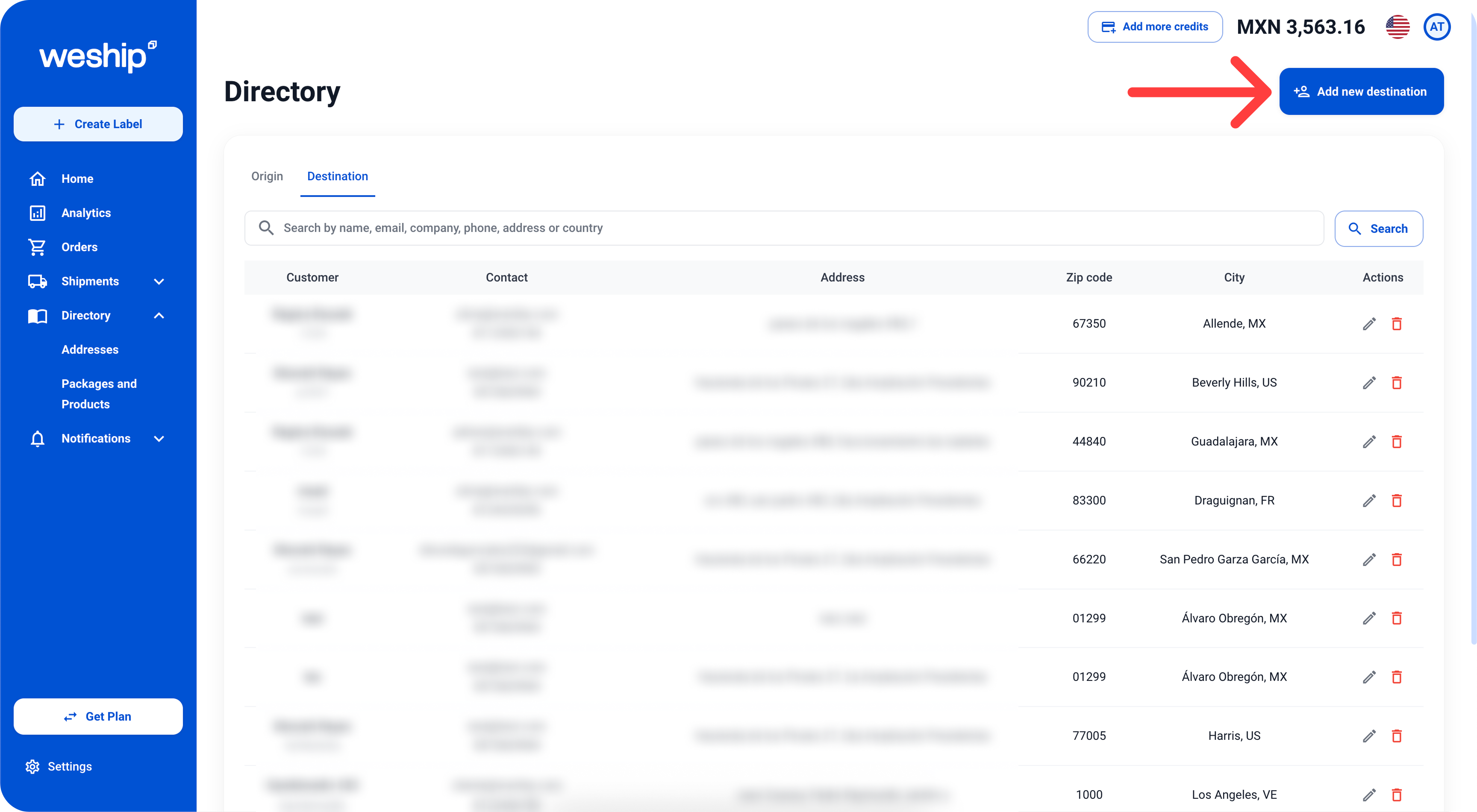
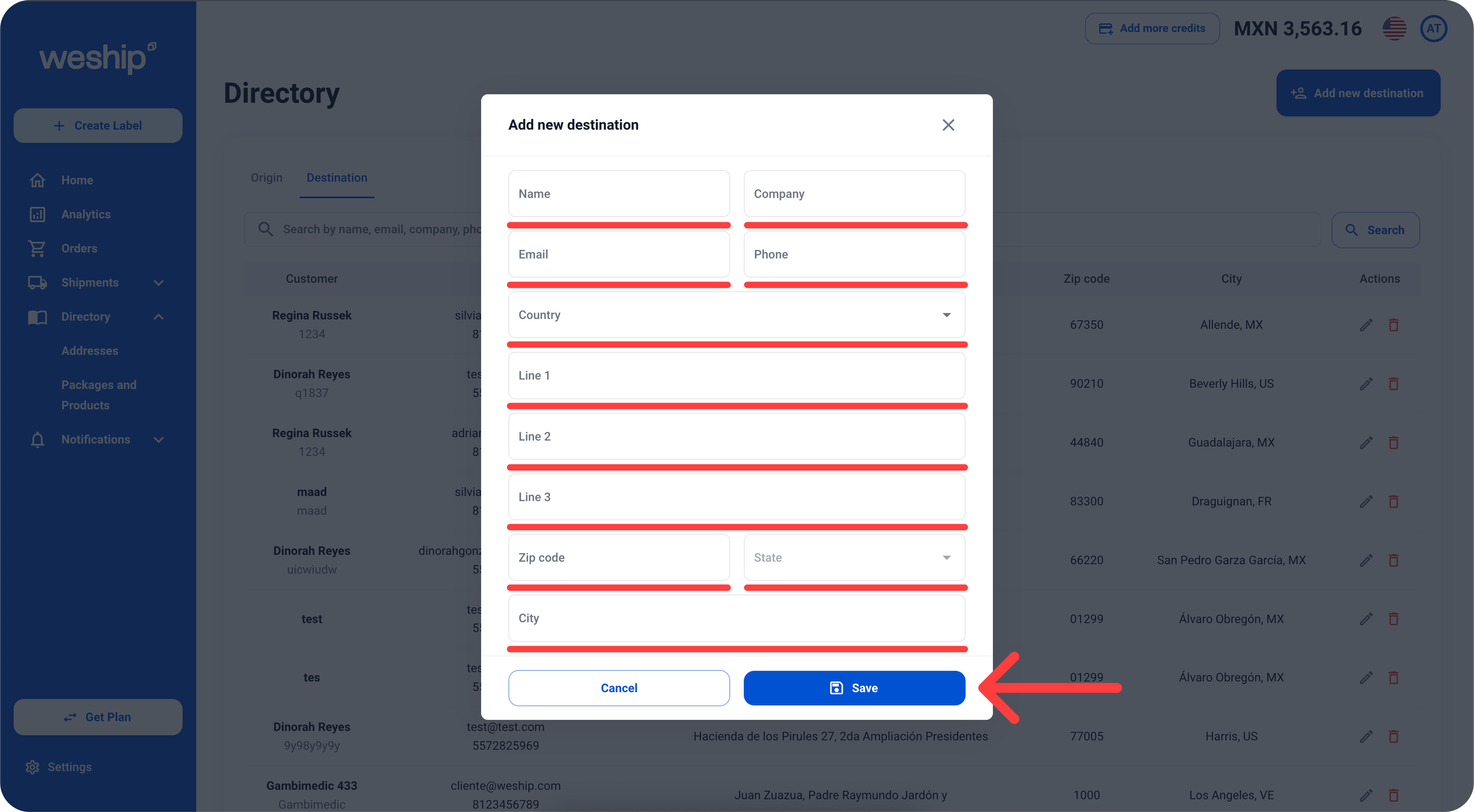
2. Within the Directory section, click on the "+ Add New Destination" button.
3. A form will appear where you need to enter the recipient’s name, company, email, phone number, country, address, zip code, state, and city. Once you complete the form, click the “Save” button.
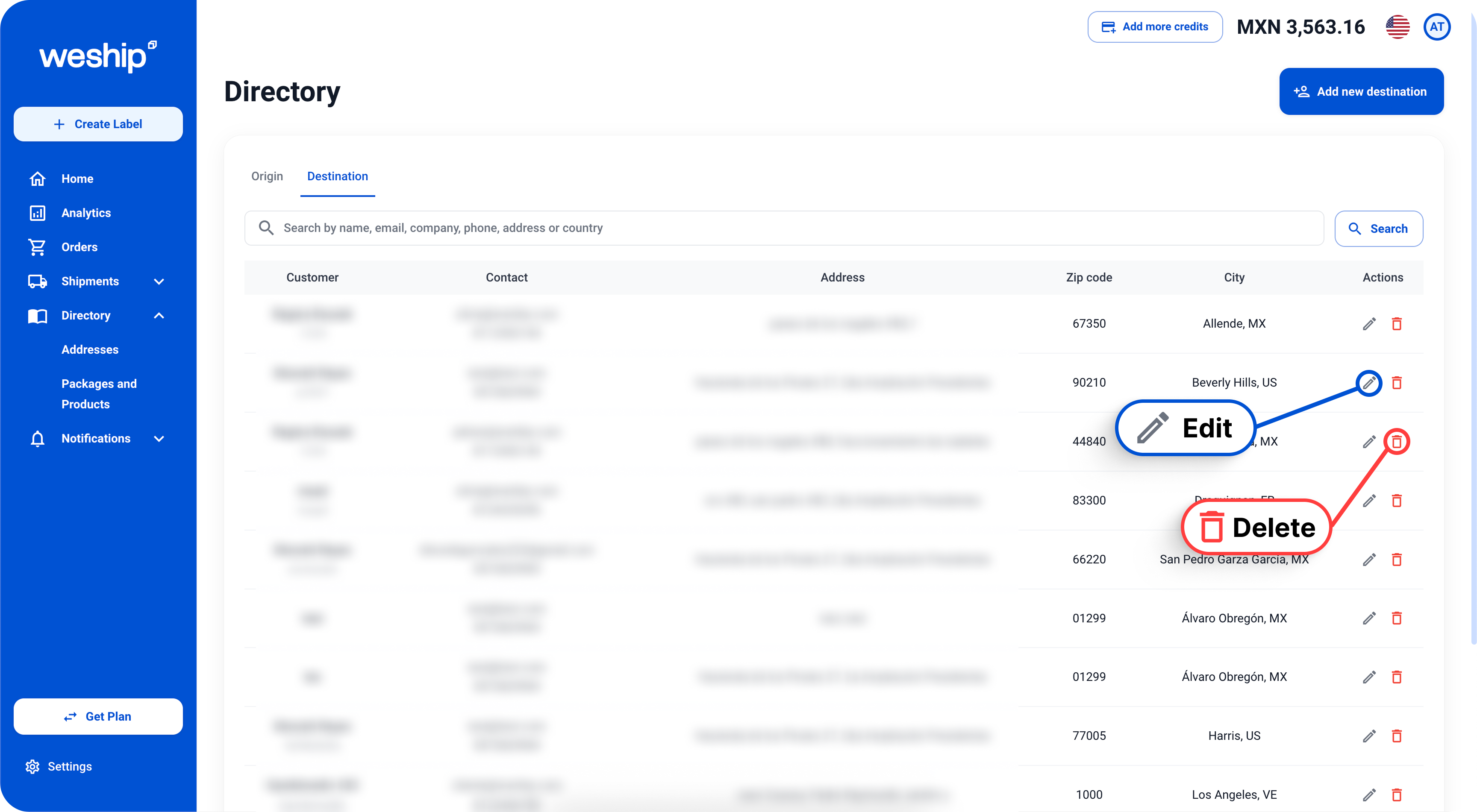
If you want to edit an address, just click on the pencil icon. If you want to delete an address, simply click on the trash bin icon.