Subscribe to our Newsletter


WeShip United States





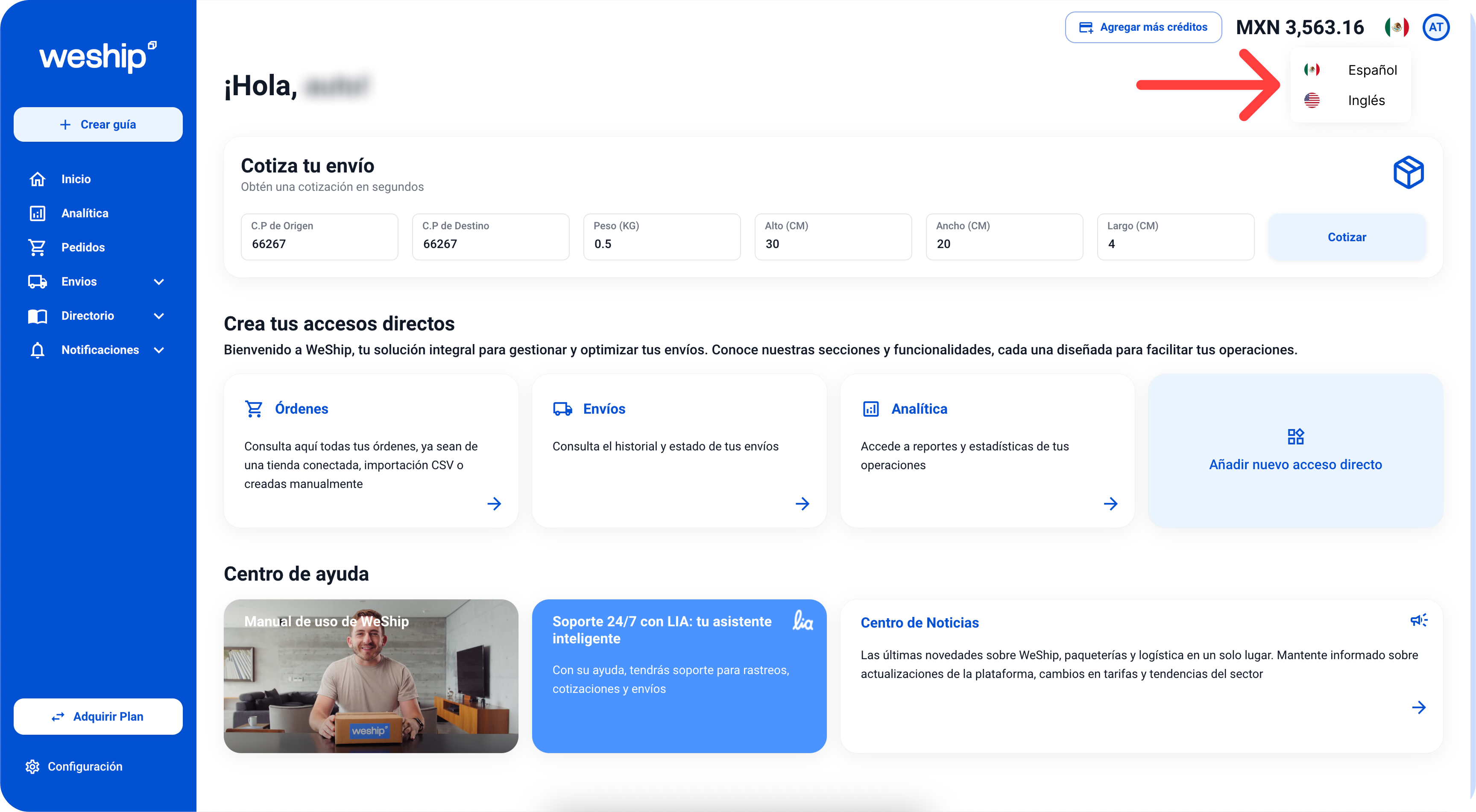
1. If your platform is in Spanish, what you need to do is locate the flag icon in the top right corner and click on it."

2. Two language options will appear: 'Español' and 'Inglés' If your platform is in Spanish and you want to switch it to English, select 'Inglés.
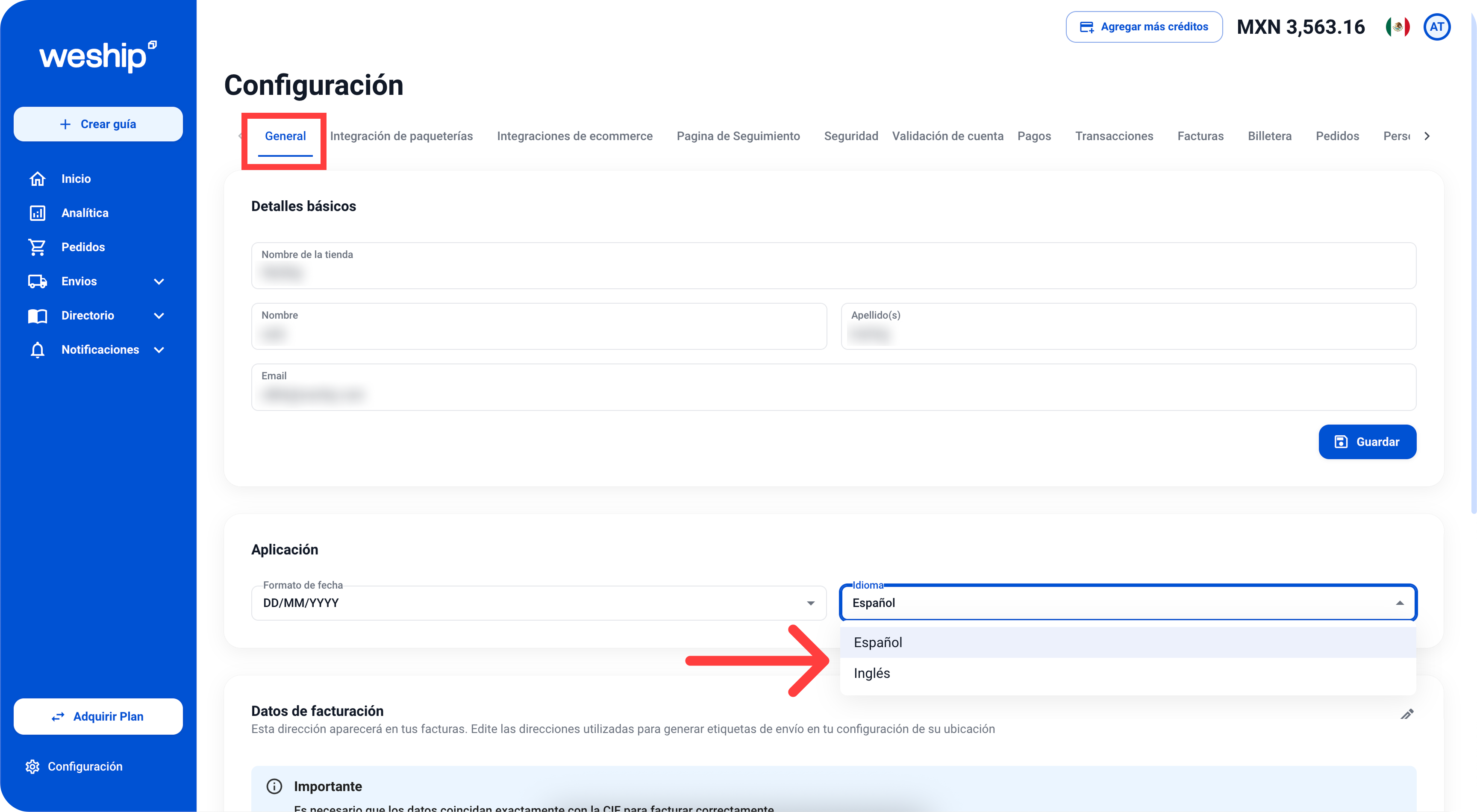
Another way to change the language is through the 'Settings' or 'Configuración' menu.

In the 'General' tab, locate the 'Application' or 'Aplicación' section, click on 'Language' or 'Idioma' and select the language you want to switch to.