
Subscribe to our Newsletter


WeShip United States




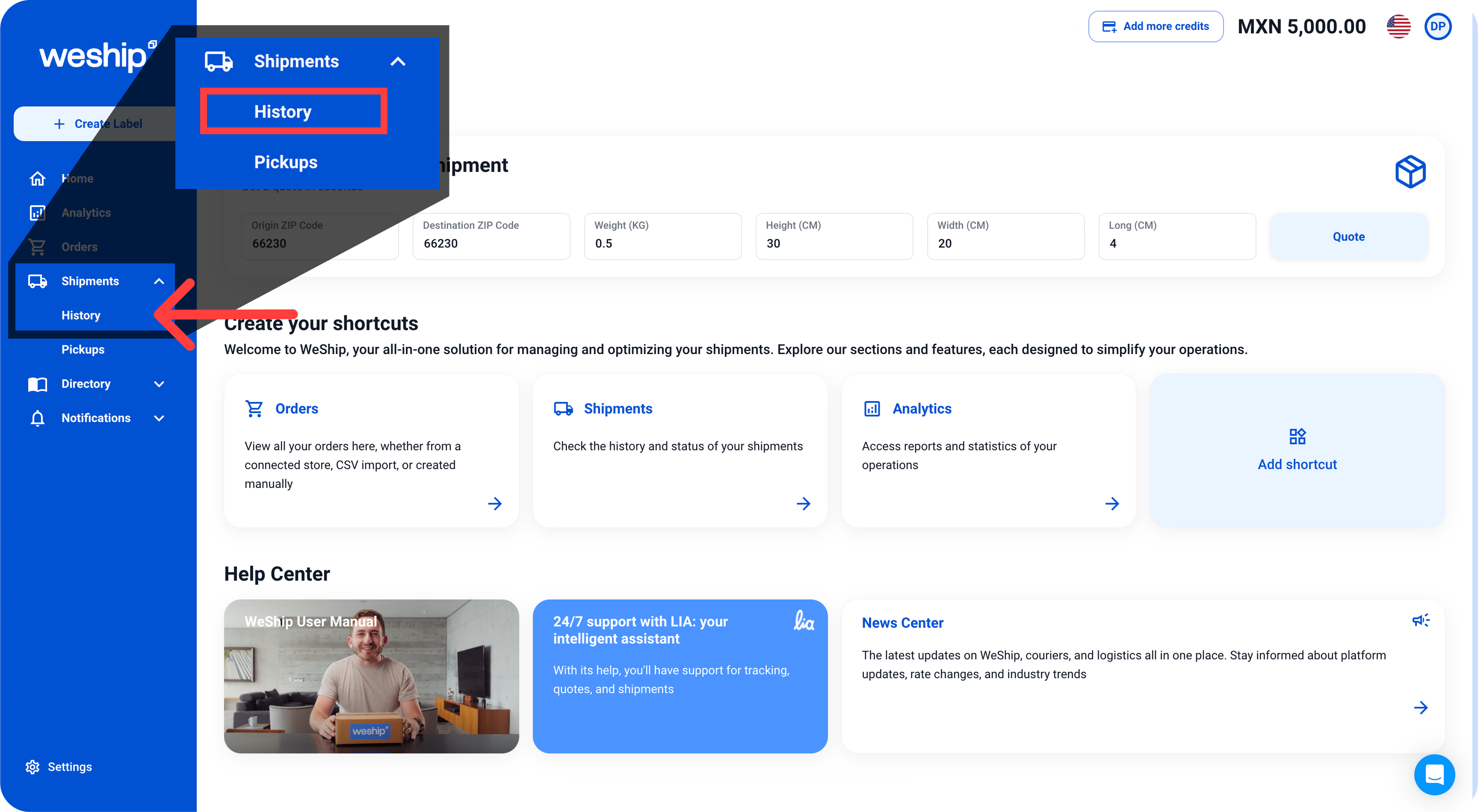
Go to the side menu and click on the “Shipments” tab. A submenu will appear—click on the option labeled “History.”
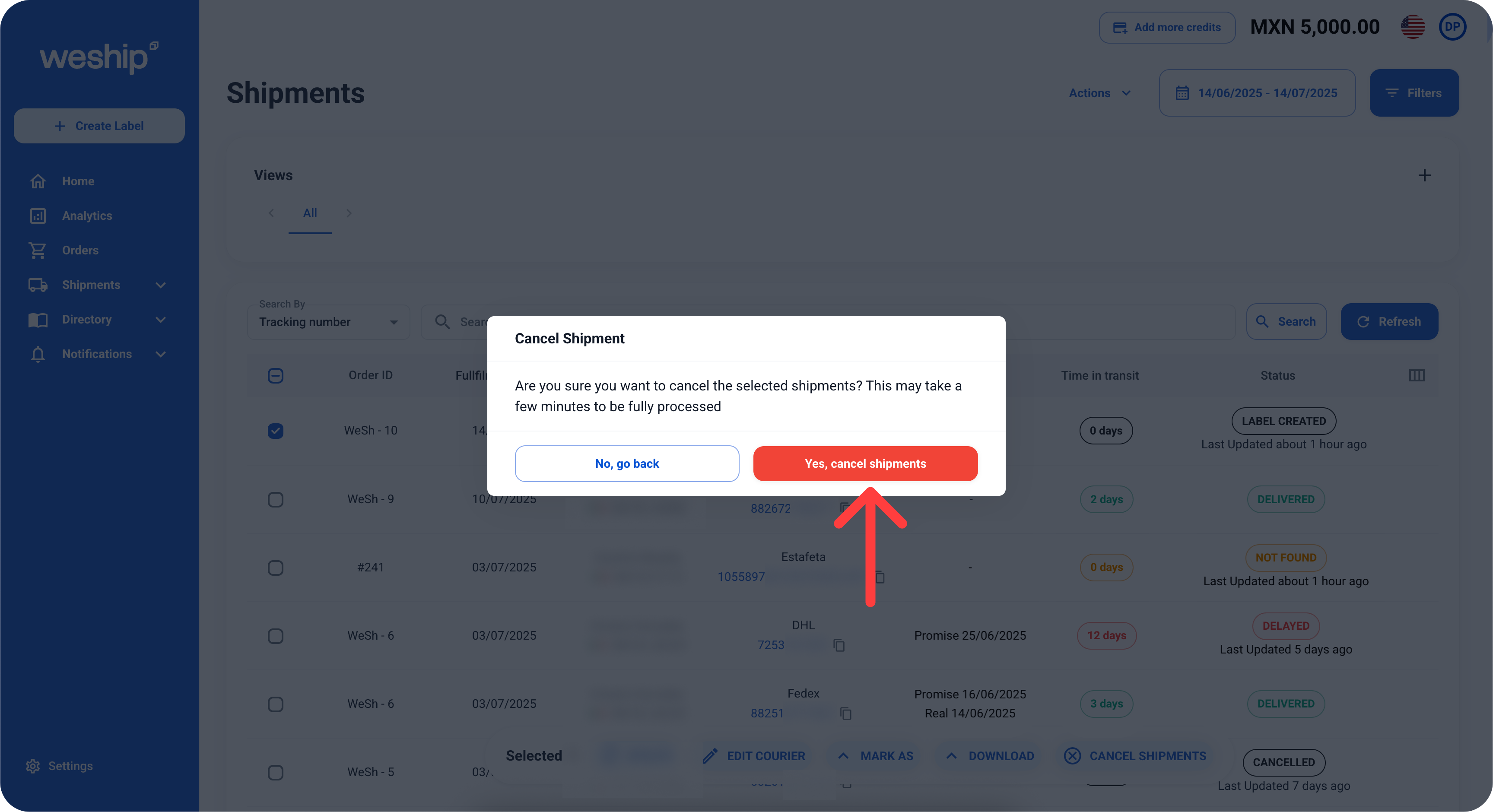
It will take you to a table showing the history of your shipments. Locate the shipment you want to cancel and select it.

Once selected, an action bar will appear at the bottom. Choose the option “CANCEL SHIPMENT.”

A confirmation message will appear asking if you want to cancel your label. If you're sure you want to cancel it, click the “Yes, cancel shipment” button.
After canceling your shipment, it will still appear in the shipments table, but its status will be updated to “Cancelled.”


