The ultimate tracking software for e-commerce

friends@weship.com

Send us a WhatsApp
Language




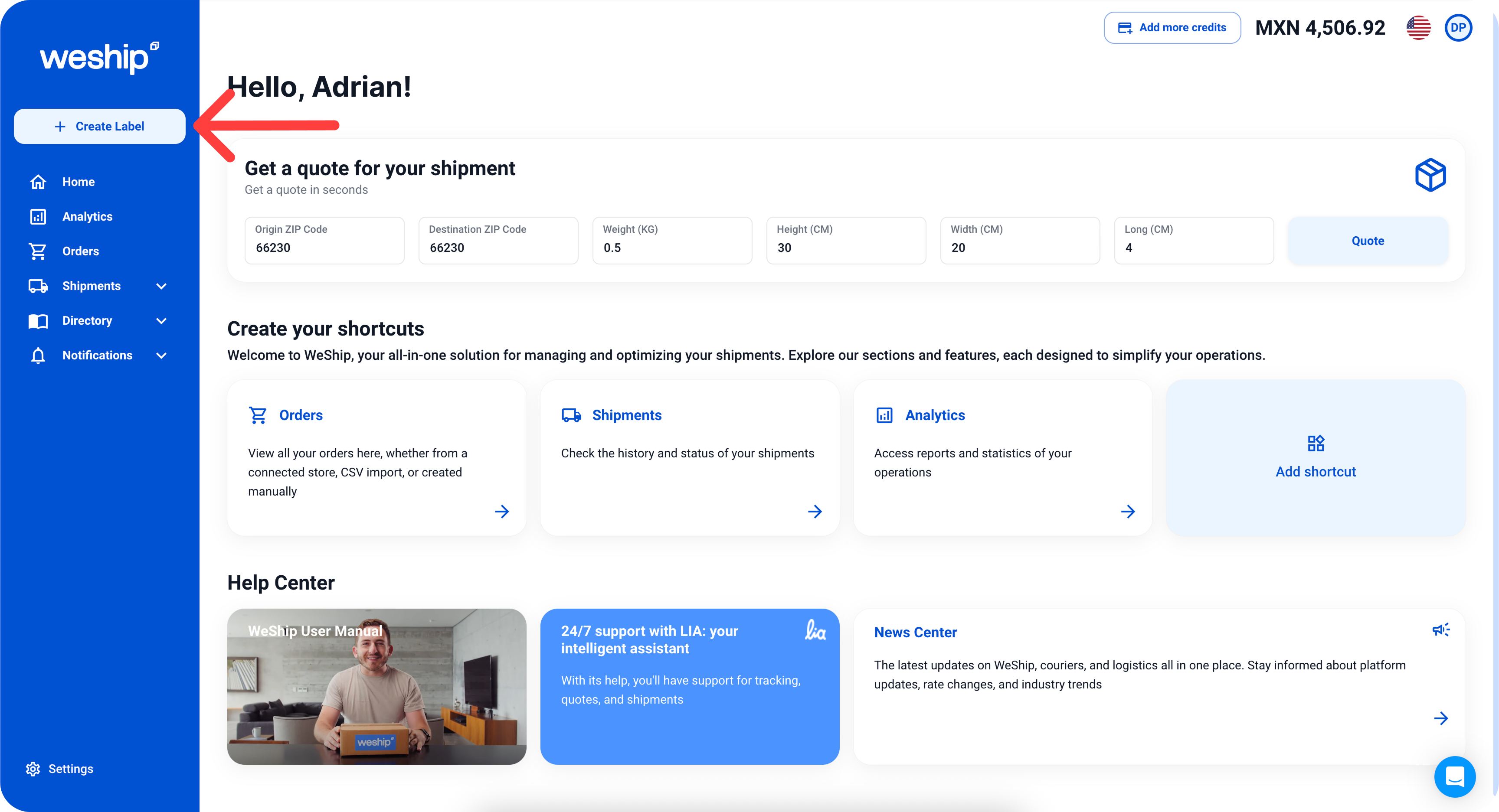
In the navigation bar, click the “+ Create Label” button.
2. It will take you to a form to create your shipping label. There, you’ll need to provide information about your shipment, such as: origin address, destination address, package contents, weight, and package dimensions. To add this information, simply click on the pencil icons.
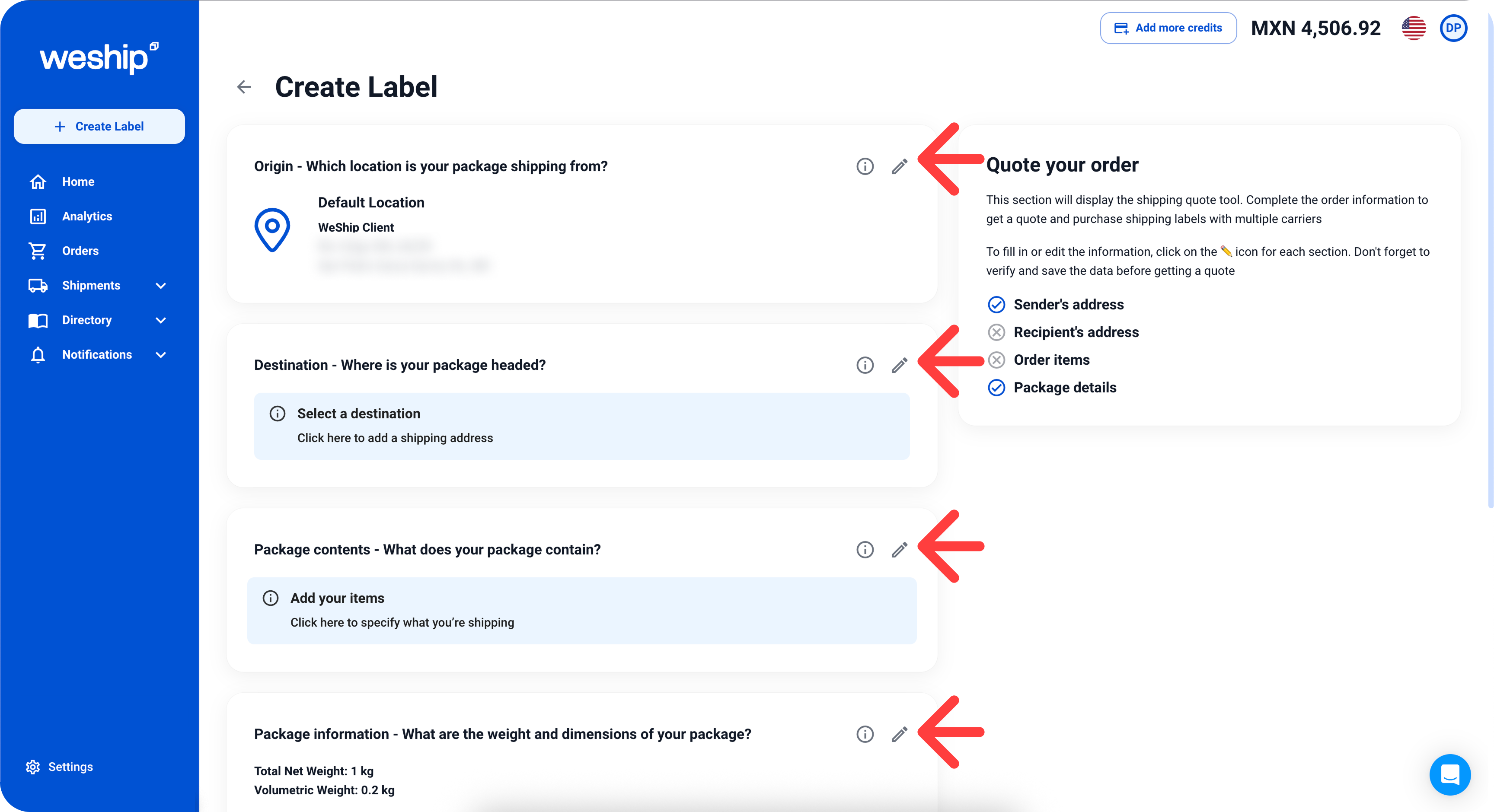
3. First, add the origin and destination addresses, including the sender and recipient information, then click the “Save” button.

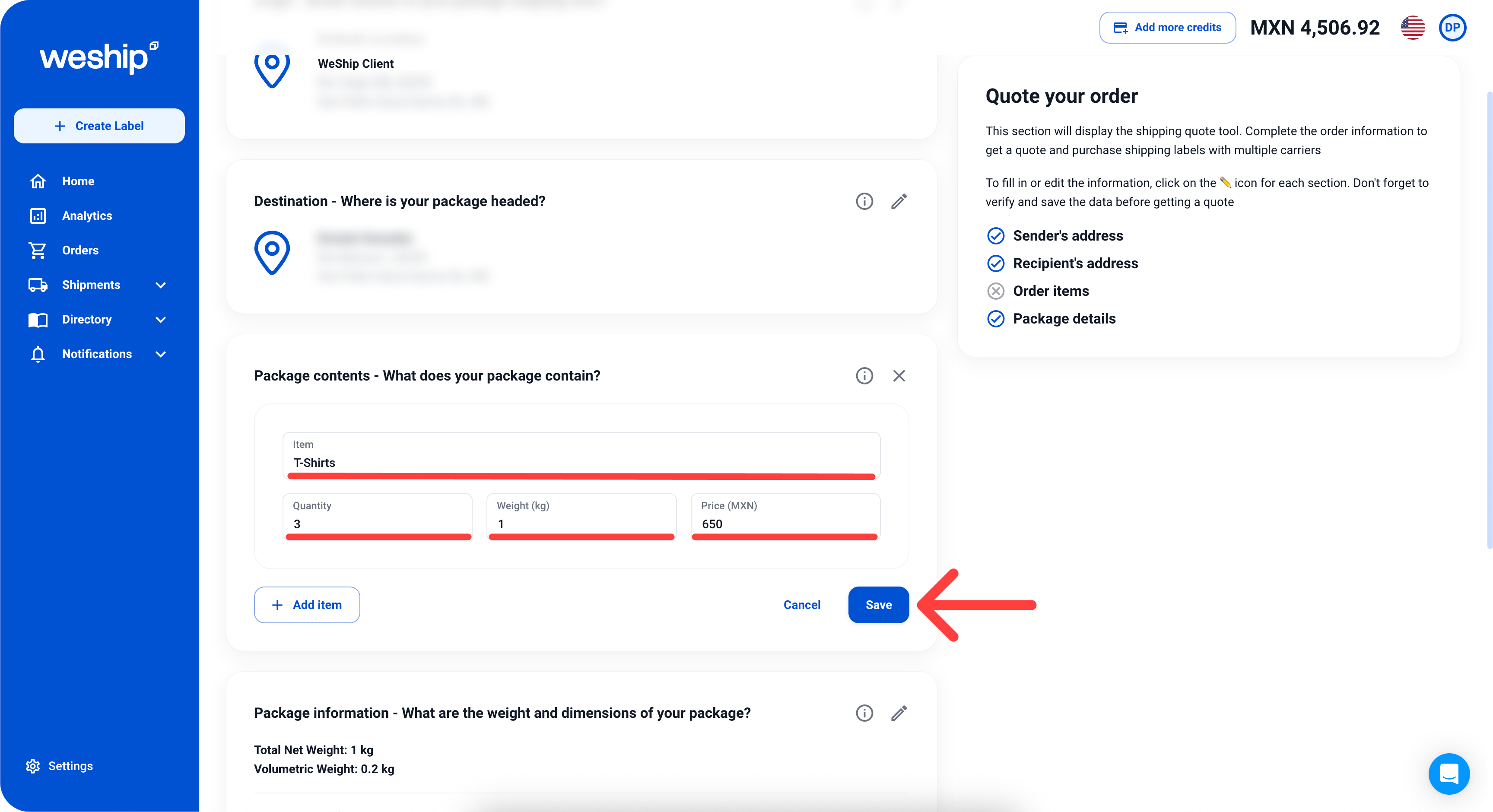
4. Now provide the package contents, such as the item name, quantity, weight, and price. Once again, click “Save.”
5. Next, provide the package information. Select whether your package is an envelope, box, or pallet. Choose a package from your directory or fill in the empty fields if you don’t have a saved package. Once again, click “Save.”

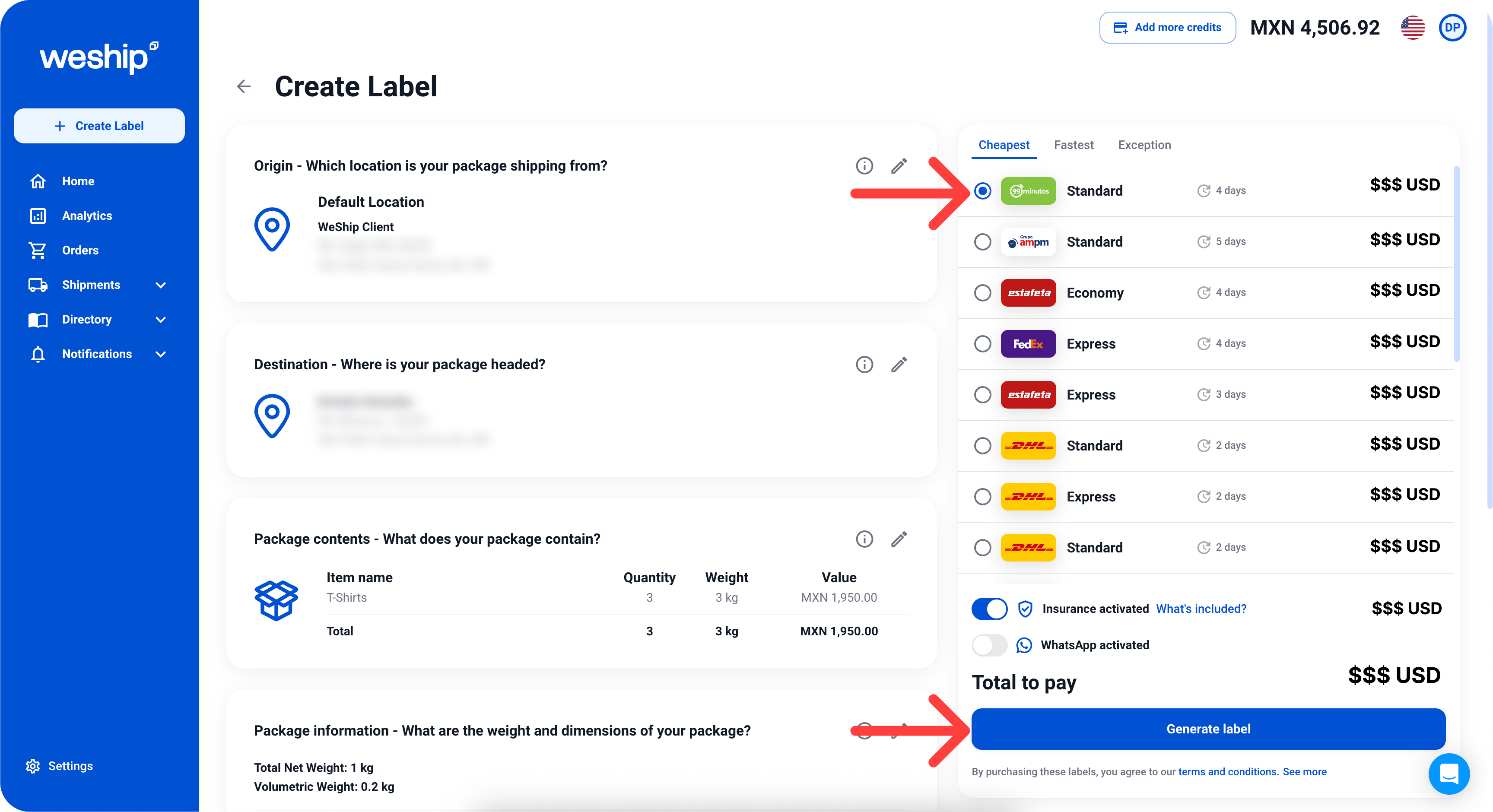
6. On the right side, our rate calculator will appear with multiple shipping prices from different carriers. You can filter the rates by the cheapest or fastest options. Once you’re satisfied with a service, select an option and also choose whether your shipment requires insurance and/or WhatsApp notifications. Then click the “Generate Label” button.
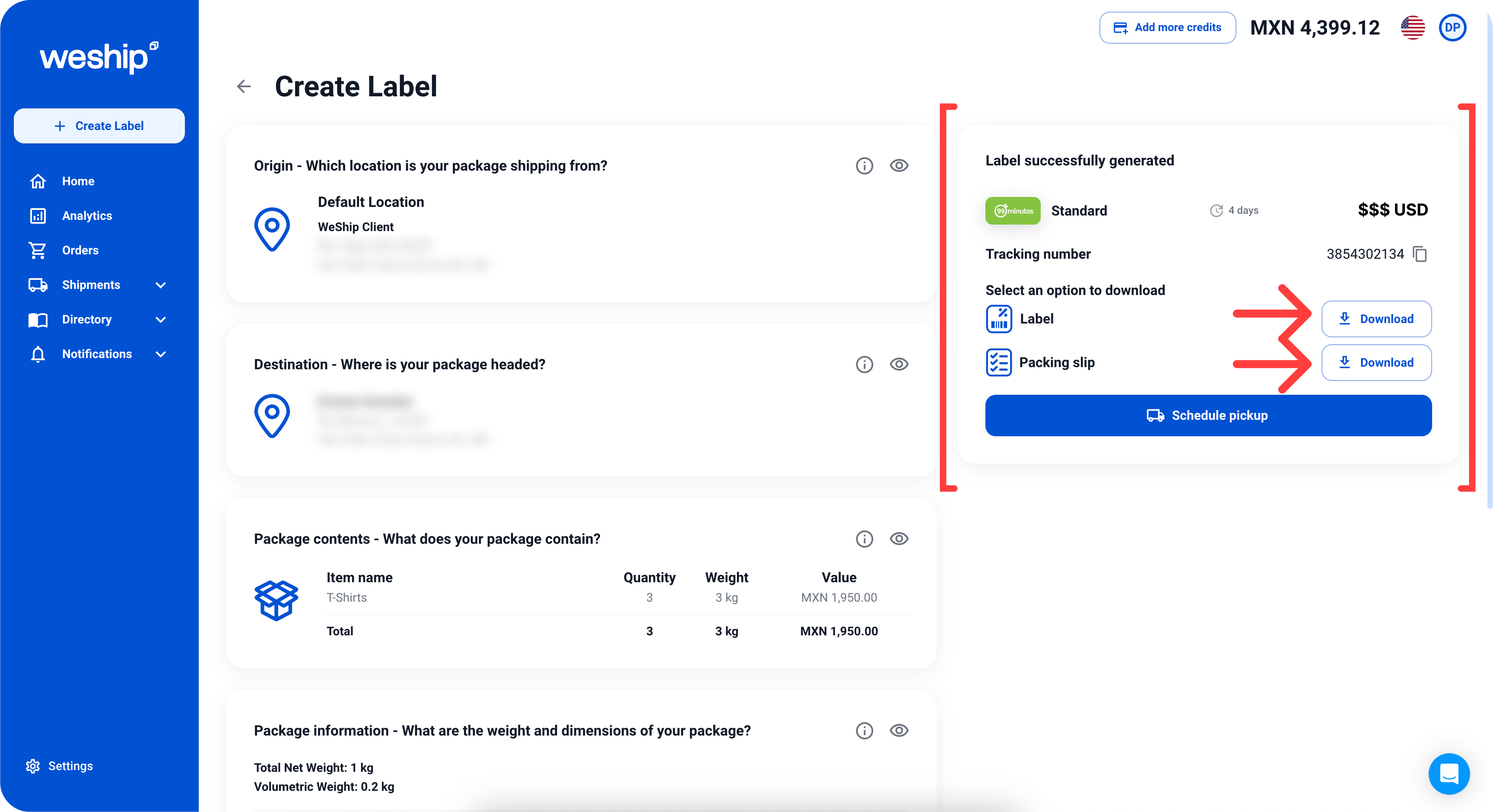
7. Once the label is generated, the cost will be deducted from your credits. You can now download the label to print it, download the packing slip, and even schedule a pickup for your package.